
~ 5 min
2/7/2025
How to reconcile Yandex Market financial reports?

Torgstat's digitization is built on two main Yandex Market reports – the payment report and the service cost report. Why these particular reports? They allow you to build financial analytics on an accrual basis and together contain a complete list of payment and service transactions for the required period. They can also be used to generate closing documents.
Why is the accrual method used?
Under this method, income and expenses are recognized in the reporting period in which they occurred, regardless of the actual receipt of money or goods, or the performance of work or services.
The alternative is the cash method, under which the date of income recognition is the day payment is received into your bank account or the actual transfer of property (work, services).
Unlike the cash method, the accrual method does not distort a company's performance and shows how the business actually operates. Since our goal is to make your business transparent, we use it. In addition, taxes are also calculated on an accrual basis.
If a customer payment occurs, we record the purchase; if a refund occurs, we record the return. We record all service charges at the exact moment the marketplace charges them.
Why do we focus on how revenue is recognized?
Yandex Market itself shows revenue in the Analytics section and in the Realized Sales Report as "customer payments for deliveries in the selected period." That is, a customer could have paid for an order in December, while the delivery occurred in January. It turns out that the revenue is January revenue. This matches how the marketplace will transfer money to you for the product, but not how your business actually operated.
We, on the other hand, try to reflect how your business operated in December, how customers paid in December, and how your revenue was generated. That is why we reconcile our financial reports based on exactly when sales transactions occurred and service charges were accrued.
What exactly needs to be reconciled?
Gross revenue, realized sales amount and service costs.
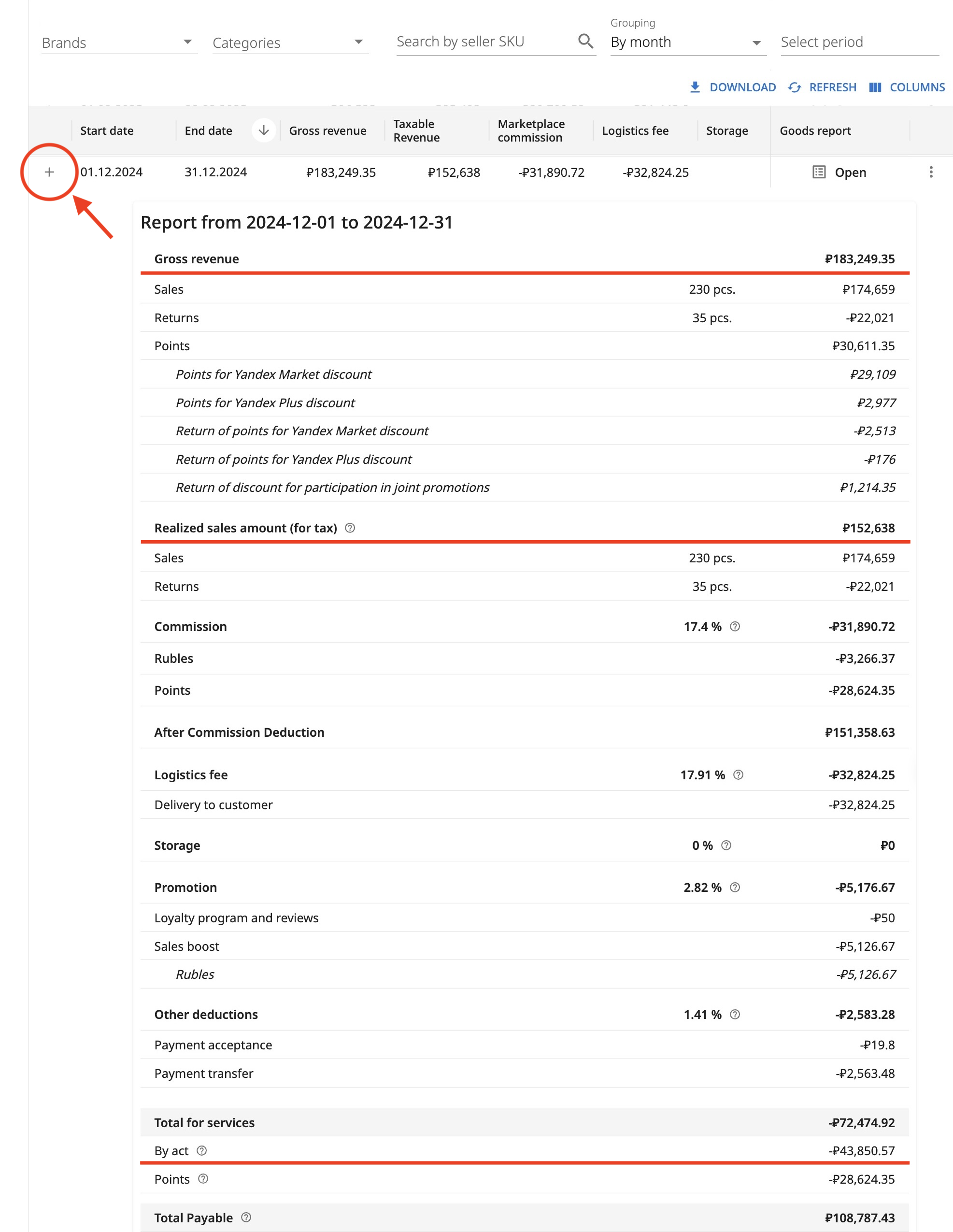
Realized sales amount is the sum of customer payments less the sum of returns. This is how much customers paid to the marketplace.
But it is well known that the marketplace regularly gives customers a discount off your price. This is called co-investment, when the marketplace reduces your price to make it more attractive to the customer. It returns the difference to you in points, which are automatically spent on paying the commission (product placement service).
Thus, your Gross revenue consists of the Realized sales amount plus the Points amount that was accrued from product sales. (Points are also deducted when commission is refunded.)
Service costs is the sum of all expenses for services charged by the marketplace.
To find detailed breakdowns in the Torgstat interface, go to My store – Financial reports – generate a report by selecting a grouping and period. The easiest way to prepare a report for reconciliation is to select the "by month" grouping. Then click + at the beginning of the desired report row to expand the detailed breakdown.
Where can I find closing documents for reconciliation?
The easiest way to check that our calculations are correct is to reconcile against Yandex Market's closing documents.
This section contains a list of closing documents for each month. In the Files column there are two buttons – Documents and Details.
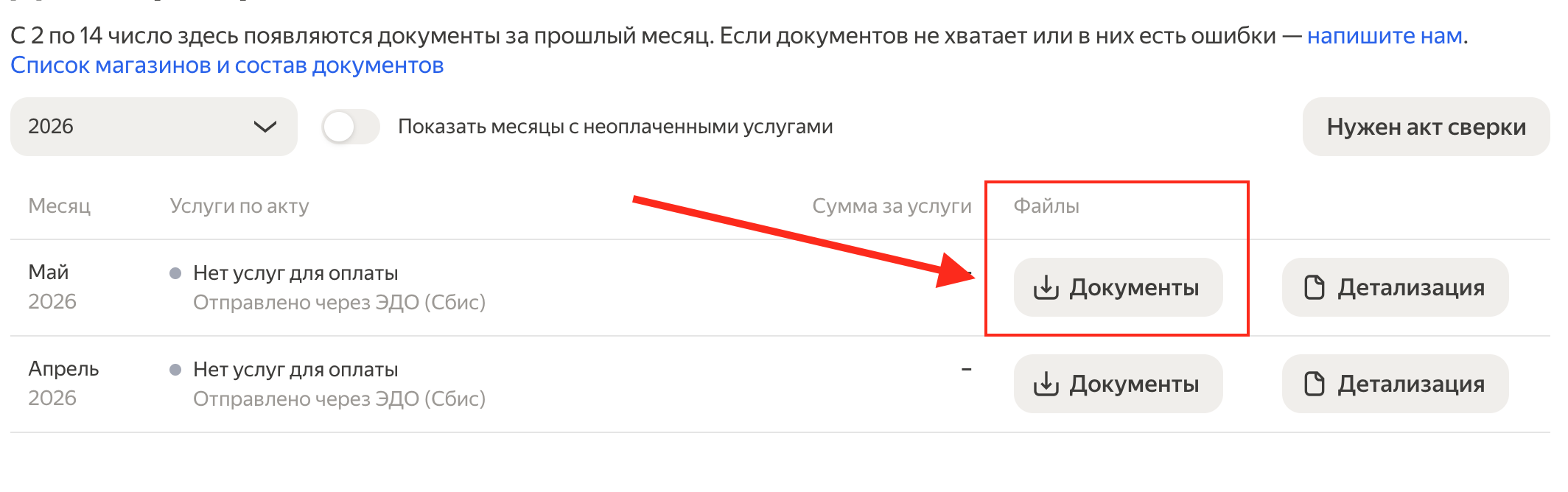
Documents is an archive with the Service Acceptance Act and the Invoice. You can use it to verify that the service amounts were calculated correctly. The act is generated based on the Service Cost Report.
Details is an Excel file that shows which transactions affected the payout for the selected period.
To calculate the Realized sales amount, you just need to find the following amounts on the first sheet (Order Execution Report) and add them together:
Received from Consumers to the Principal
Returned to Consumers at the Principal's expense and reimbursed to the Agent
The Service amount can easily be reconciled against the Service Acceptance Act: find the line "Total per act:" and compare it with the "Total for services - Per act" value from our financial report breakdown.
Why can't the "Cost of services rendered per acts" line from the Order Execution Report in the Details file be used for reconciliation? The thing is that Yandex Market includes service charges there, some of which come from the previous act and some from the current one.
There is a division into service types – mandatory and additional, which you can learn about from the documentation:
Mandatory services include:
Product placement on the storefront, acceptance and transfer of customer payment, middle mile, delivery and express delivery to the customer, smart pricing, sales boost, participation in the loyalty program, paid storage of unclaimed and returned orders, and remuneration for the sale of unclaimed products.
Additional services include:
Order processing, product pickup, supply through a transit warehouse, acceptance of excess stock at the warehouse, disposal, extended access to Market services, payment for banners and shelves, and a personal manager.
Thus, in the current period, the payment includes mandatory services for the current month plus additional services from the previous one. (Which is not suitable for reconciling the current period.)
How do I reconcile gross revenue?
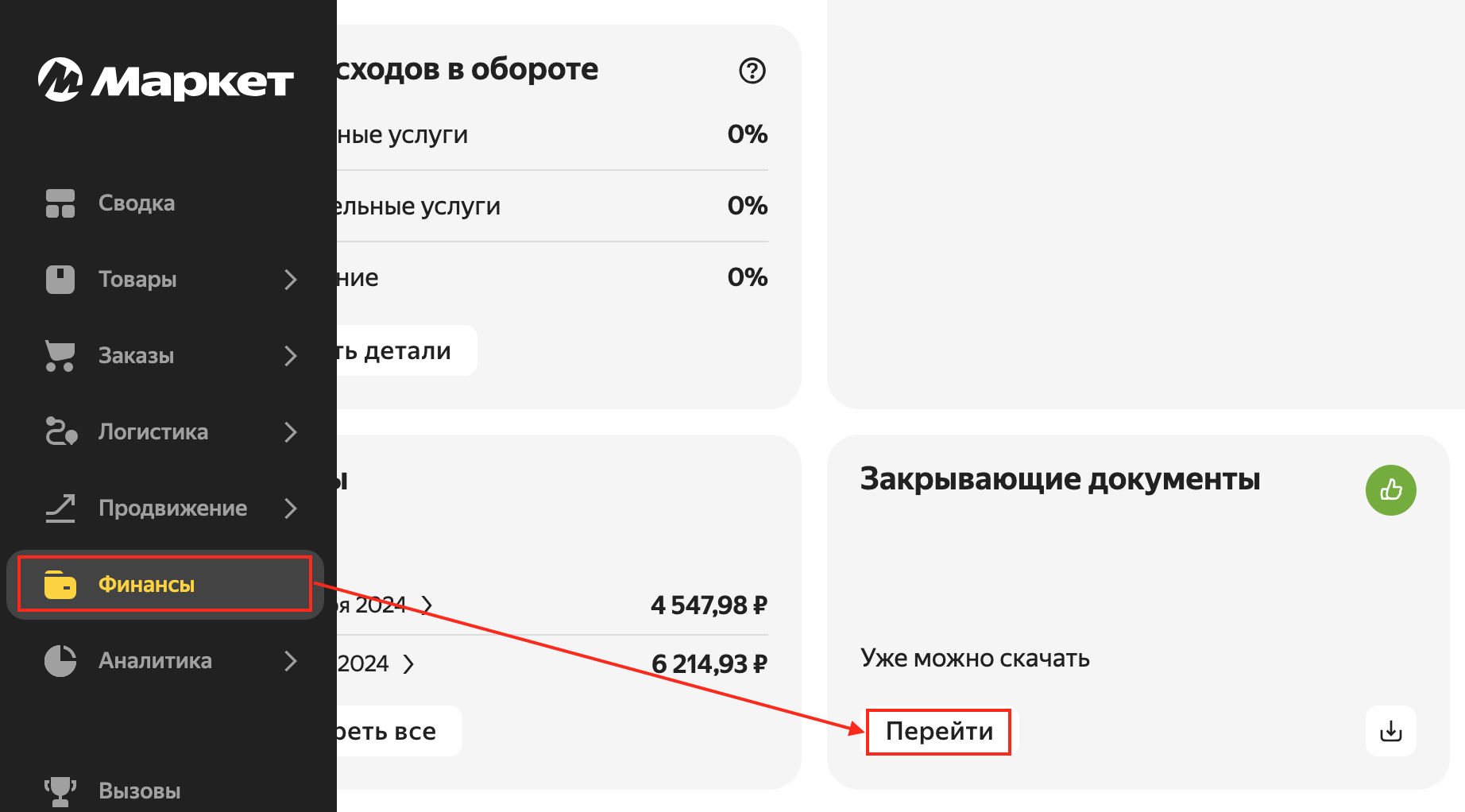
It is not possible to fully reconcile gross revenue together with points using closing documents (they do not contain points, only real money); for this we will need the Payment Report. Go to the Financial reports section:
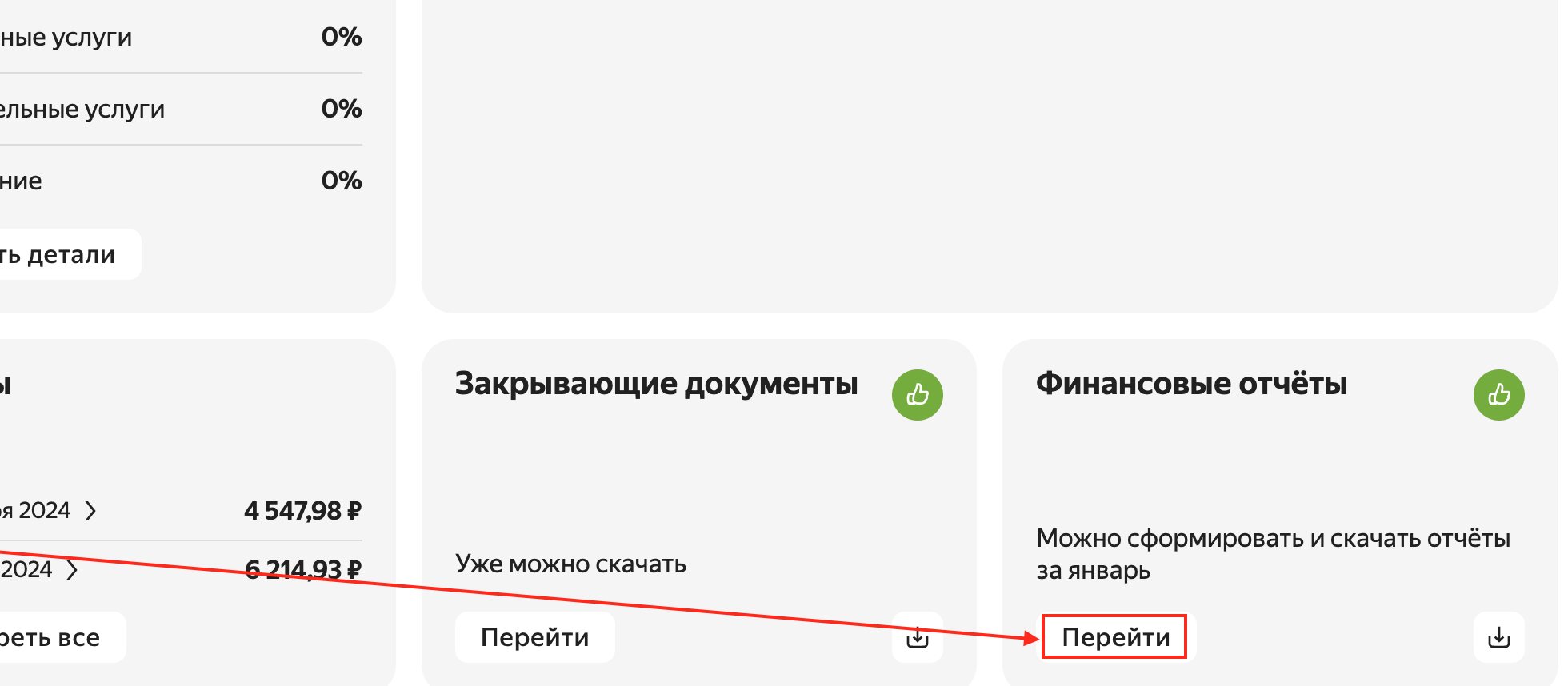
Generate a report for the required period:
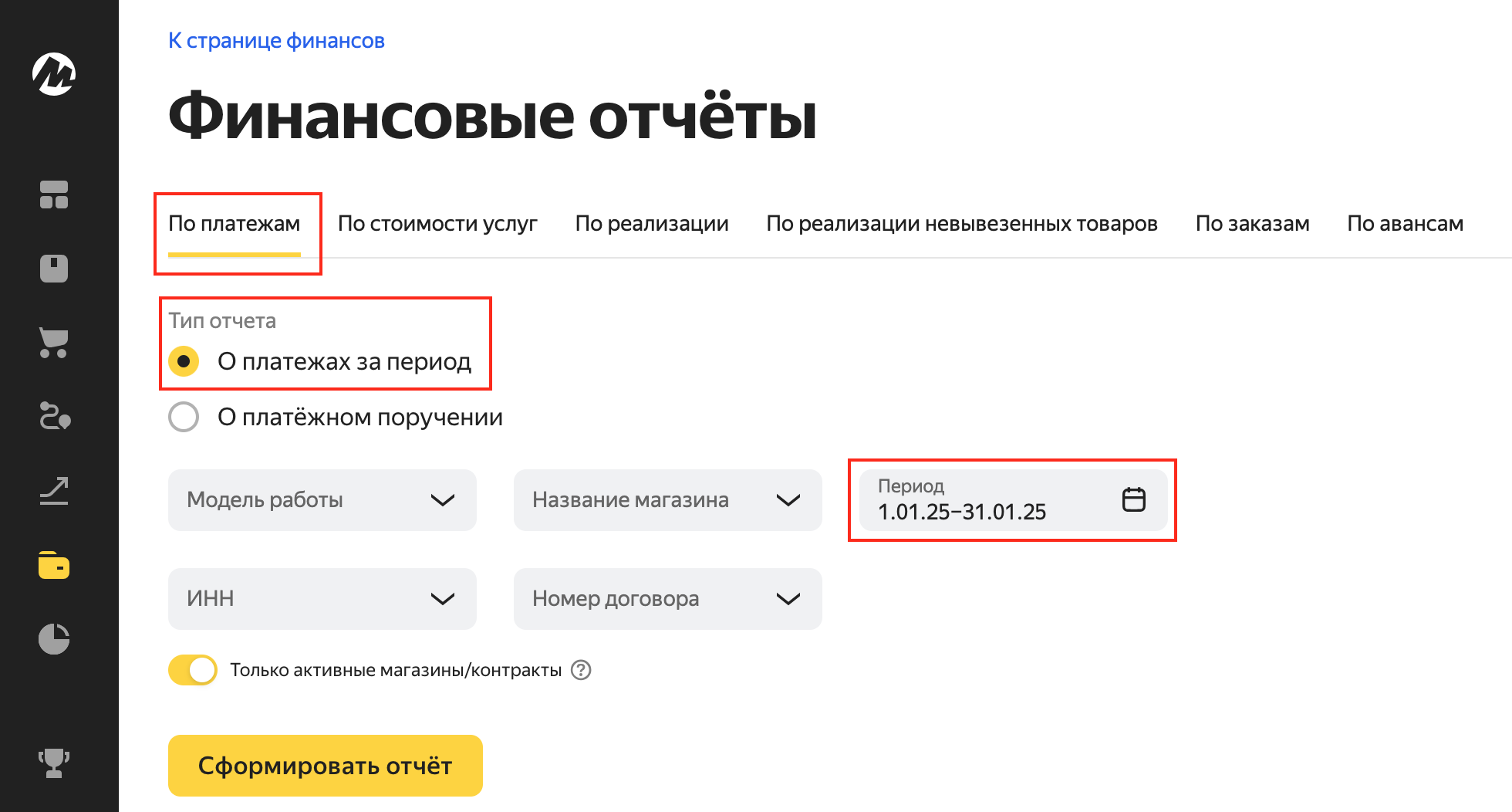
1. Filter the Transaction date strictly by the required period.
Why, you might ask? Even if you request a payment report, say, from January 1 to January 31, Yandex Market, without your knowledge, will kindly add extra transactions that may somehow be related to those transactions that actually occurred in January. At the same time, the summary sheet of the report will misinform(!) you and contain the total for all transactions, including the extra ones, not just January ones.
2. Filter the Transaction source, leaving only the following categories:
Points for Market discount
Points for Yandex Plus discount
Refund of points for Market discount
Refund of points for Yandex Plus discount
Customer payment refund
Refund of discount for participation in joint promotions
Compensation for a lost order
Customer payment
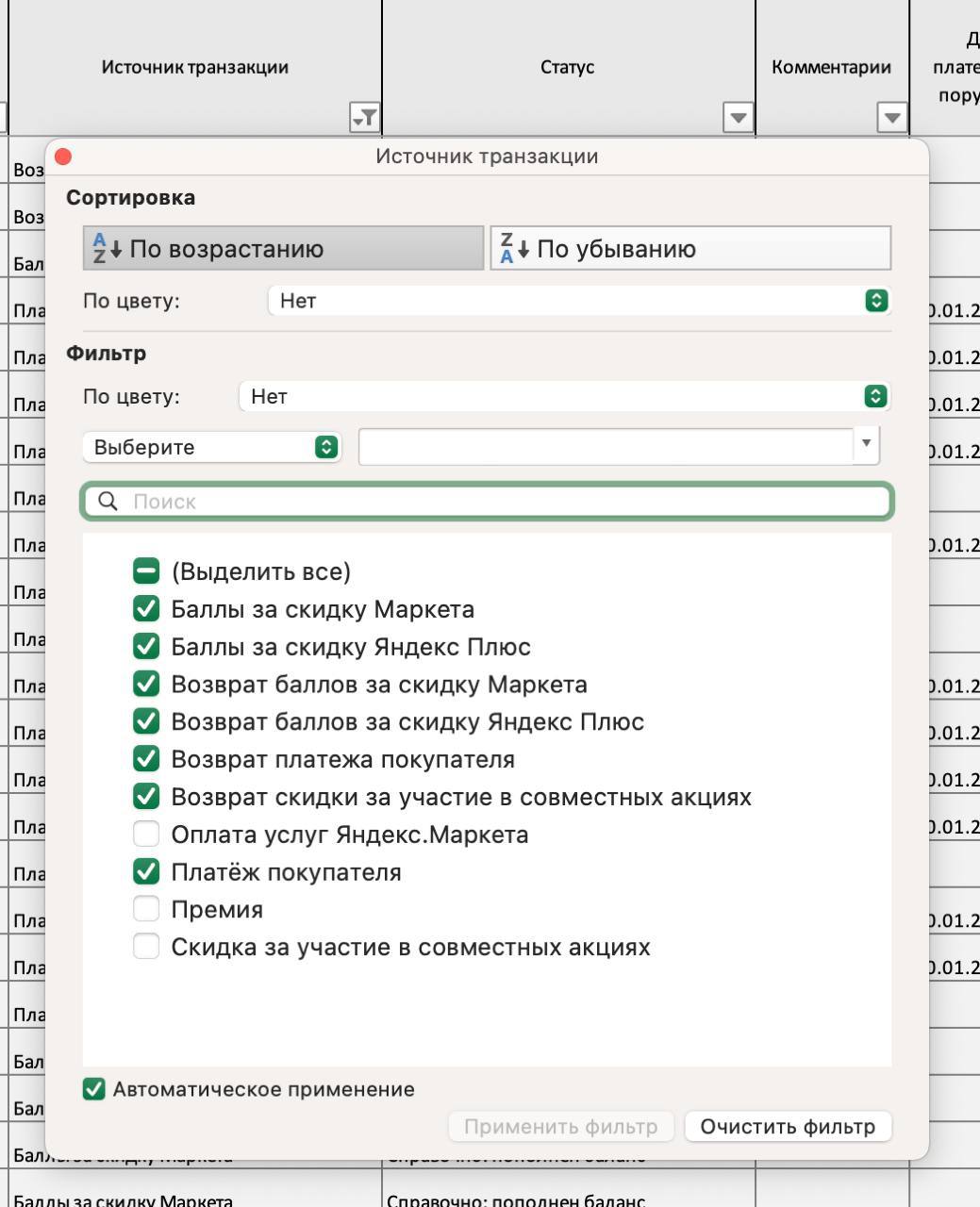
Thus, by adding up the amounts in the Transaction amount column, you will get the Gross revenue value.