~ 2 min
3/25/2025
How to connect your Yandex Market seller dashboard?
Torgstat is an official partner of Yandex Market. In this guide, we'll walk you through how to set up the Torgstat connection to your Yandex Market seller dashboard, as well as how to update the token in an existing connection.
Create a token in the seller dashboard on Yandex Market
Open the seller dashboard on Yandex Market
Click on your account icon, then Settings
In the menu on the left, select API and modules
In the Authorization tokens block, click Create new token
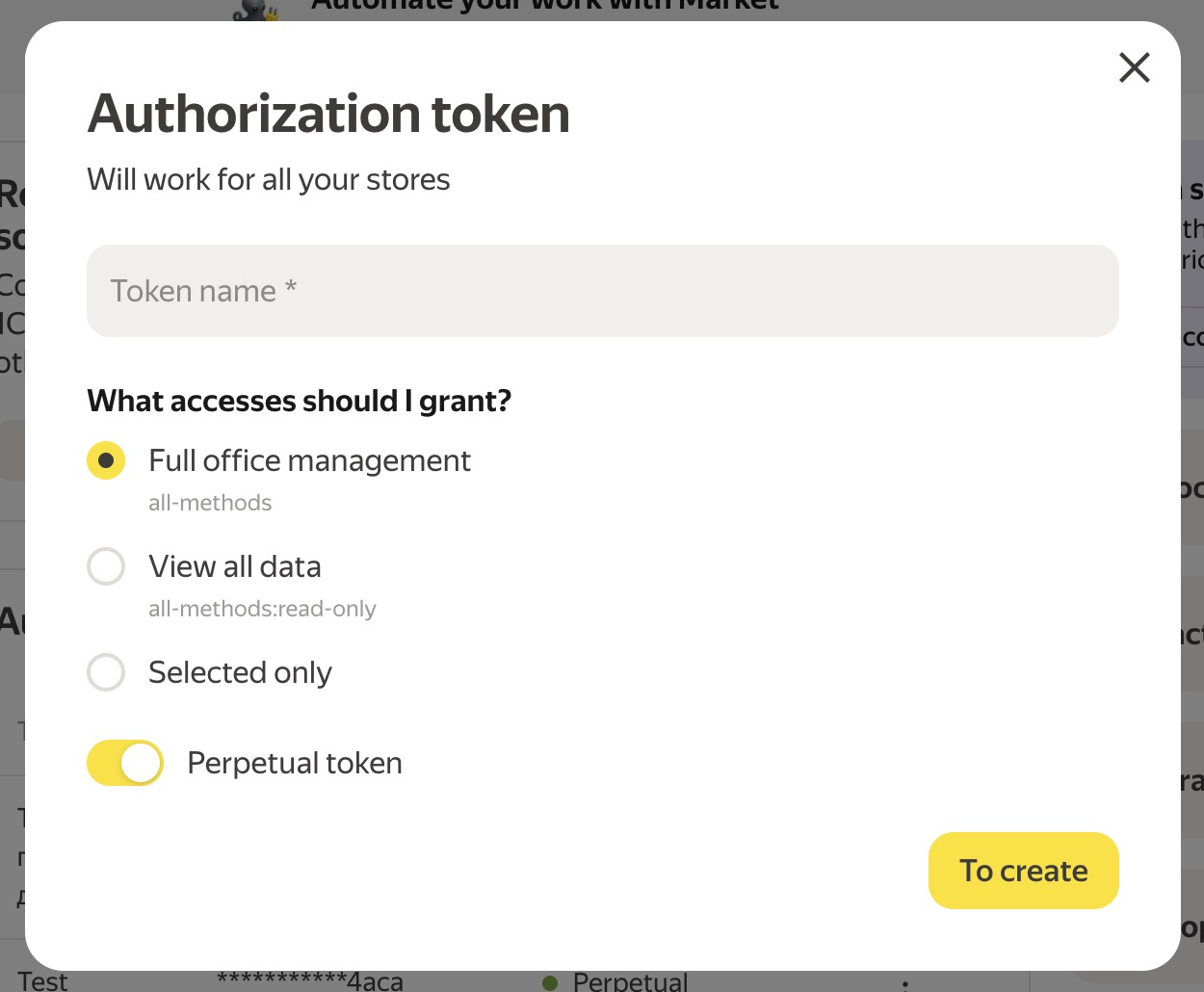
What permissions should you grant?
You can leave Full dashboard access (all-methods) — this option is suitable for the service to work.
If you want to configure permissions manually, select the Selected only option and choose the three categories listed below:
View financial information and reports (finance-and-accounting)
Manage products and listings (offers-and-cards-management)
View order information (inventory-and-order-processing:read-only)
Be sure to select all of them!
IMPORTANT! View all data (all-methods:read-only) is not suitable for the service to work. Please do not select this option.
Copy the token you received
After you have entered the token name and selected which permissions to grant, click Create.
In the window that opens, the authorization token key will appear — copy it.
Set up the connection in Torgstat
Open Torgstat
Go to My Store — API connections
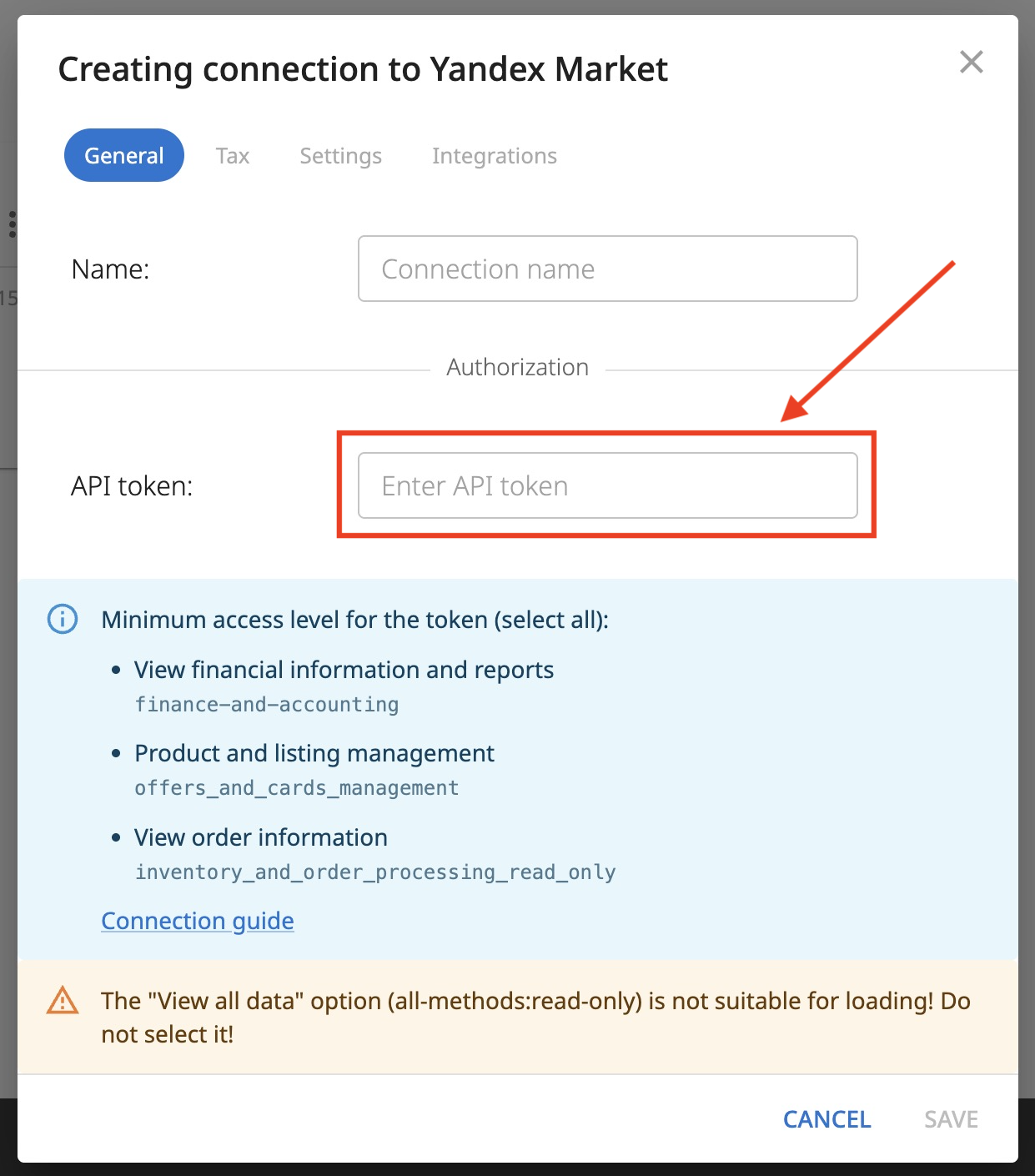
Click New connection and select Yandex Market
Enter the connection name
Paste the token you received earlier
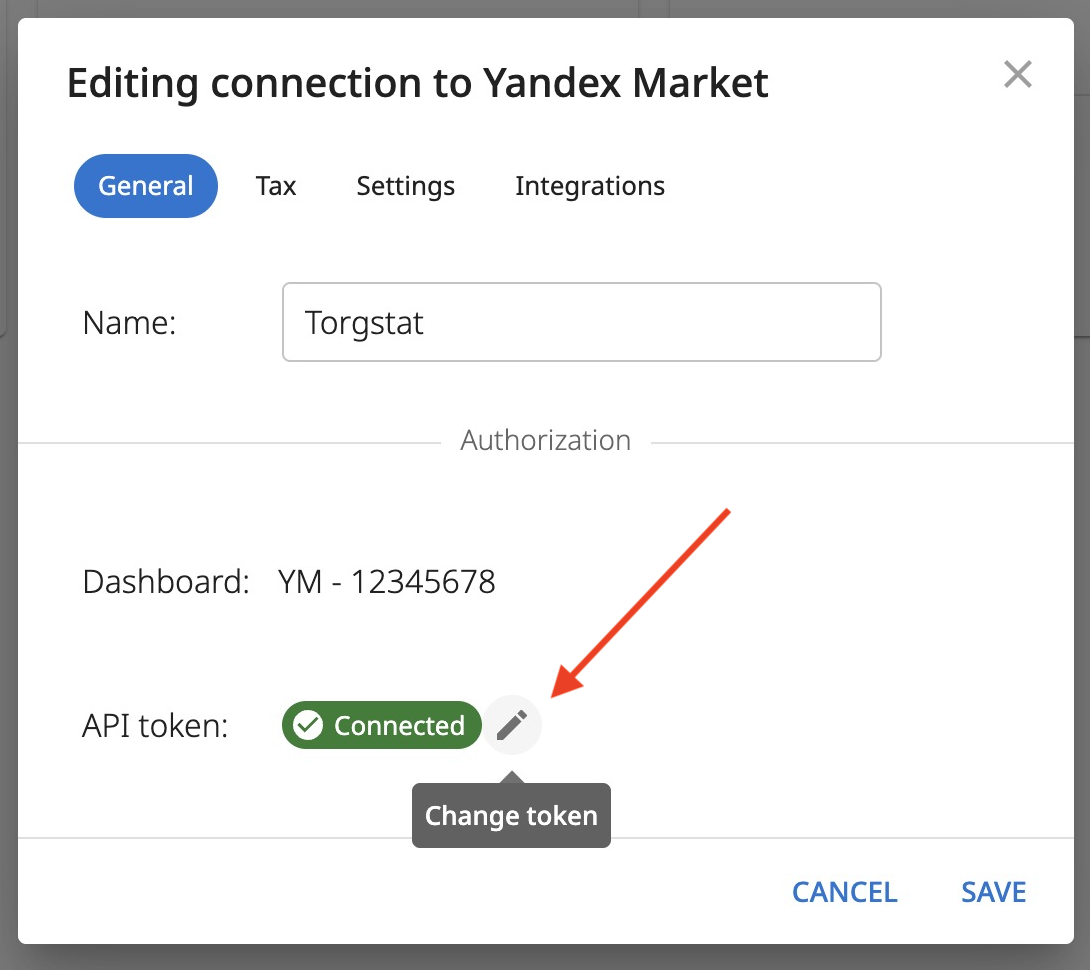
Changing the token in a connection
If the token has expired or been revoked, you can replace it with a new one in an existing connection:
Go to My Store — API connections
Click the "three dots" menu on the connection — Edit
Click the "pencil" icon and paste the new token
Click Save