
~ 3 min
6/11/2025
Accounting for external expenses. How to add external transactions?
Our service allows you to keep track of external transactions, in addition to tracking gross revenue and costs on marketplaces. You can link transactions either to the entire company or to a specific item No. in a particular store.
Adding bank accounts
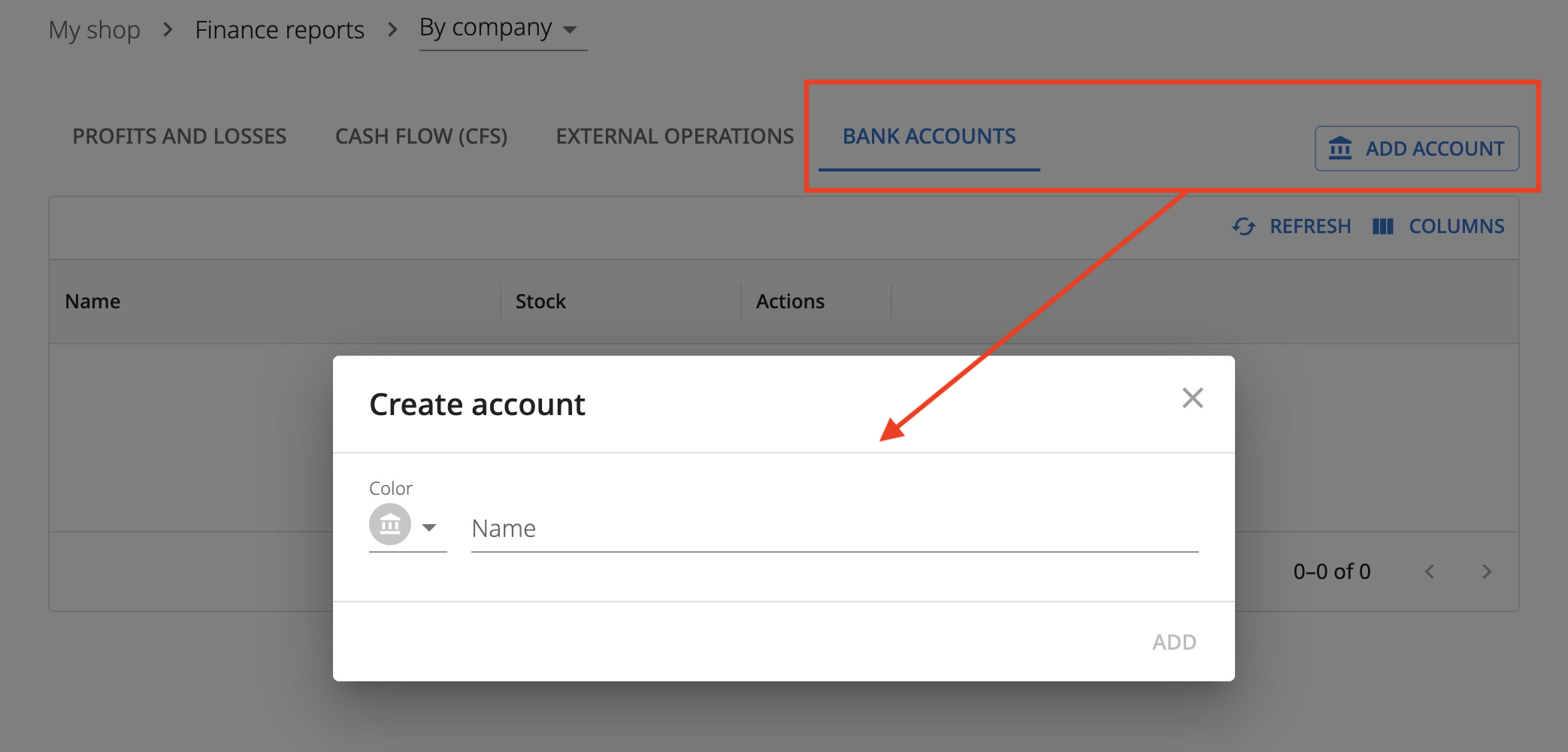
Before adding transactions, you can go to the My Store - Bank Accounts section and create one or more accounts. They are used for linking and grouping transactions. You can filter transactions by them and also view the total amount of funds in the account.
Accounts are not currently integrated with banks in any way. All transactions on them are entered manually or uploaded in bulk via a file.
Adding transactions
To add an external transaction, go to the My Store - External Transactions section and click the Add transaction button.
Account — the bank account you created earlier following the instructions above.
P&L date — the accounting date in profit and loss. Specify it if you want the transaction to adjust net profit.
Cash flow statement date — the accounting date in the cash flow statement.
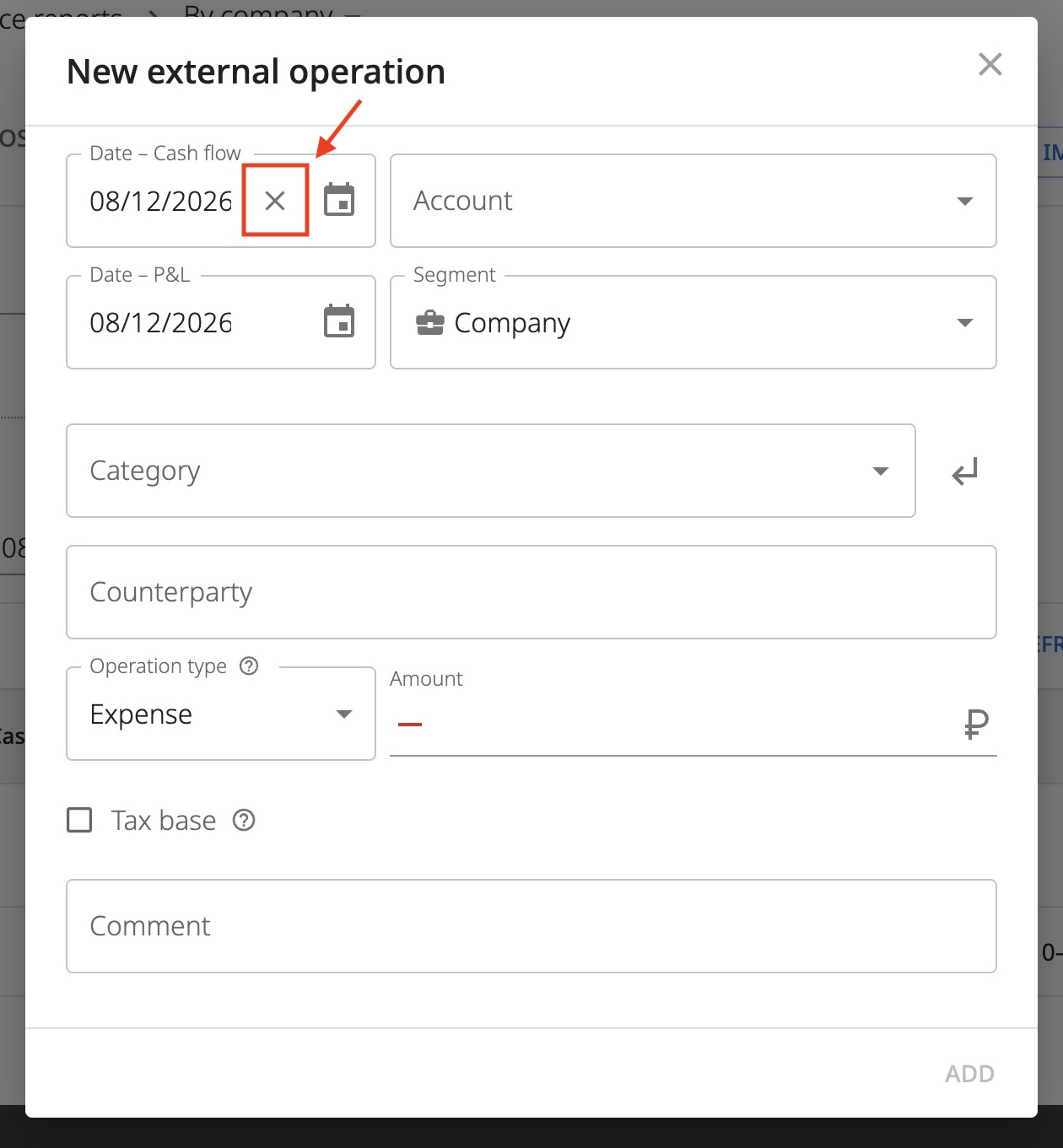
When you add either date, the second one is automatically set equal to the first. Most often, transactions are recorded with a single date. But you can change one of them or remove it altogether. To do this, hover over the date and click the cross.
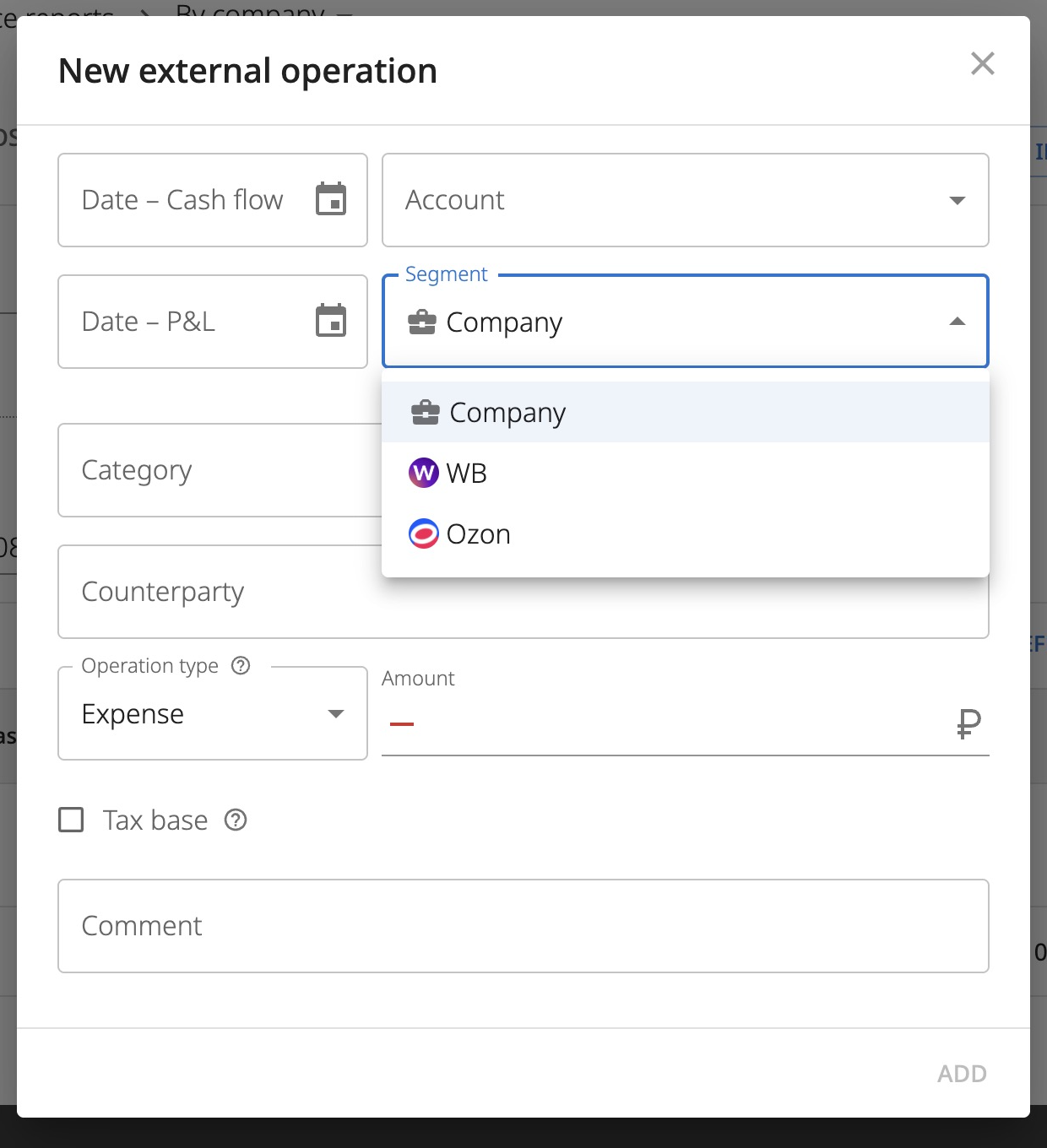
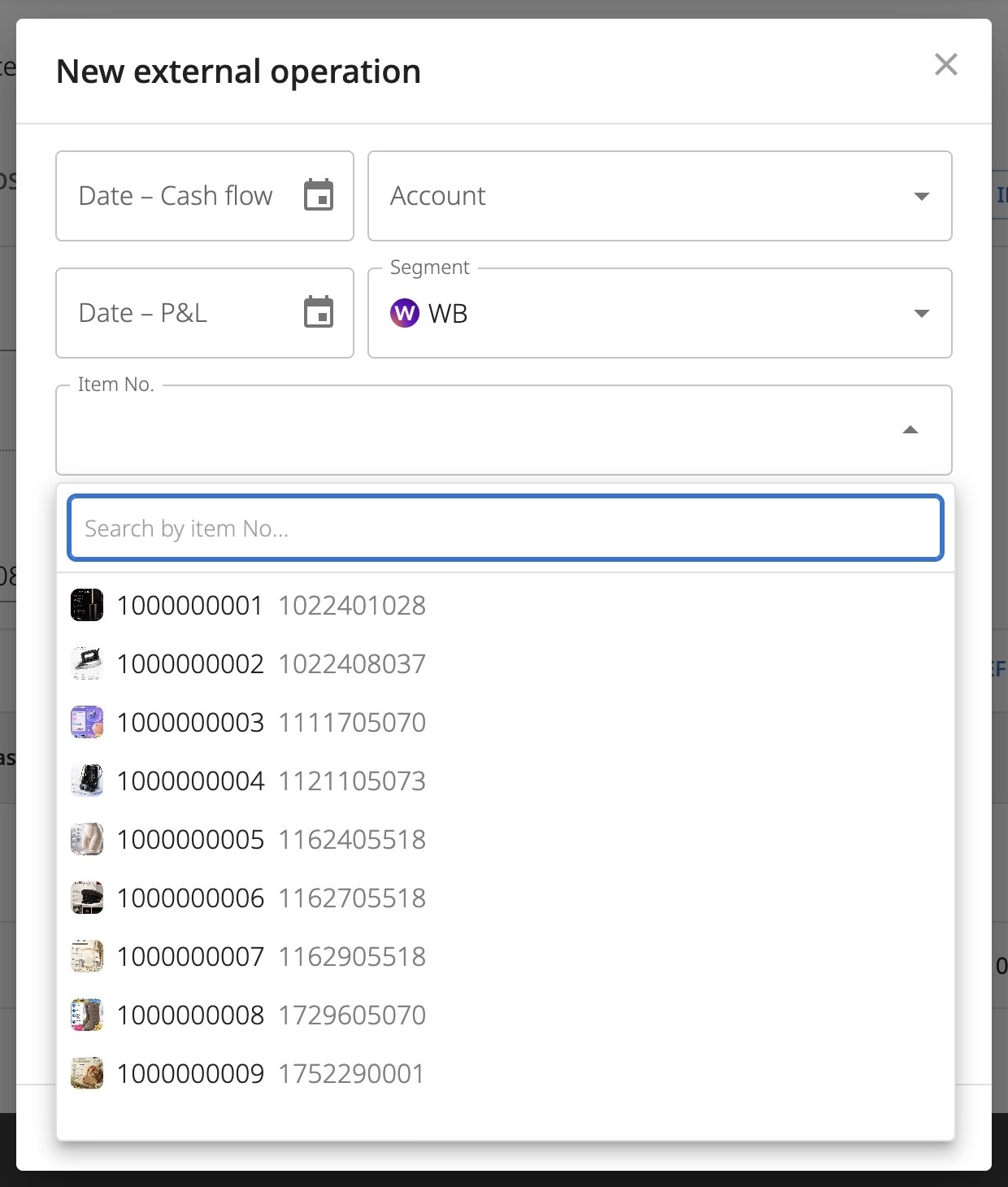
Segment — what the transaction should be linked to. This is either Company — which covers your entire business, convenient for linking payroll, shared warehouse rent, etc. Or a specific marketplace connection. As soon as you select one of the connections, another field for selecting an item No. becomes available.
Category — select the most suitable one from the list. You cannot add new categories here (you can write to our support team, we are open to considering expanding this list). But you can add a custom subcategory by clicking the arrow next to the category selection.
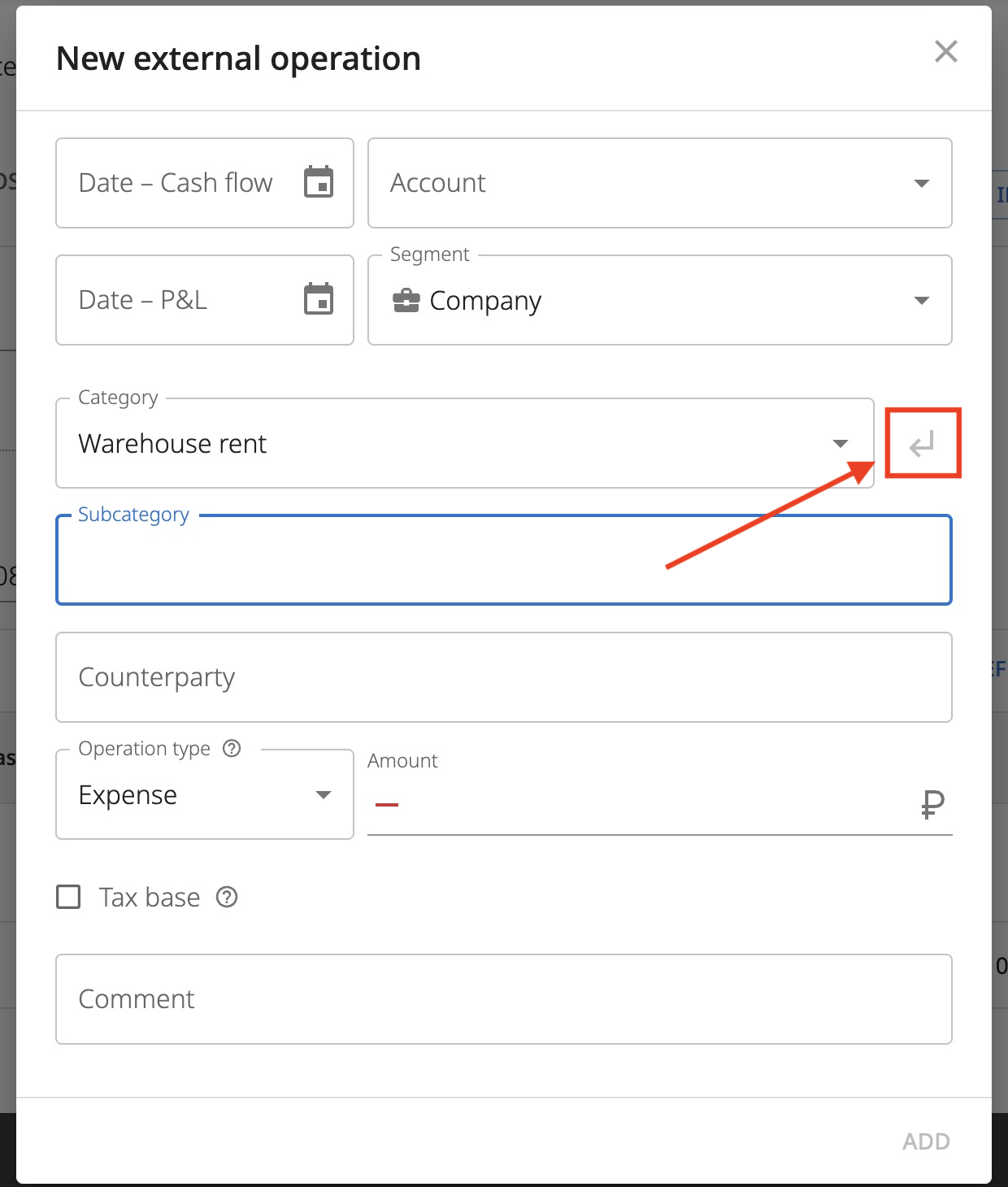
Counterparty — here you can specify the name of the supplier, service, or transfer recipient.
Transaction type — "Expense" or "Income" affects the sign of the transaction and its grouping in reports. "Expense reversal" and "Income reversal" allow you to adjust already recorded transactions without distorting the structure of income and expenses. For example, an expense return will remain in expenses rather than being recorded as new income.
Amount — enter it with a plus sign; the sign will be determined by the transaction type.
Tax base — check this to account for the expense when calculating the profit tax base for OSNO or USN "Income minus expenses". This function only works for expenses linked to a specific connection, not to the company.
Comment — arbitrary text, does not affect anything.
Recommendations for entering into the cash flow statement and P&L
You should not add purchase transactions and marketplace income to the P&L. The former will duplicate the cost price, the latter will duplicate profit. You should not add the loan principal, only interest payments. Also, do not add large purchases such as cars to P&L expenses. Depreciation transactions should be used for this purpose.
Accordingly, you should not add depreciation to the cash flow statement.